Monday, June 30, 2014

This is a cross-post from the Rally Engineering Blog.

Rally publishes a public javascript AppSDK to give customers the ability to easily access their user story data within custom applications. In order to make the SDK components more reusable in different contexts and provide easier application development, there must be a clear separation between view code and model code within the SDK.

ExtJs with MVC

First off, "MVC" in this post refers to unopinionated, generic MVC. View == UI, Model == application logic, Controller == glue between View and Model. "Component" refers to a class that extends Ext.Component.

There are two popular ways to implement MVC with ExtJs applications. Sencha provides an MVC implementation distributed with ExtJs and DeftJs is a third-party library. I have experimented with both of these MVC implementations, and found them lacking.

Sencha's built-in MVC implementation requires a specific directory structure and configuration with Ext.application. These restrictions make it difficult to adapt the pattern to existing code bases.

Sencha's controllers also encourage code that listens for events fired from a Container's child Components. This is a code smell. Controller code should never "know" about child Components, because refactorring the UI structure will break the controller. Replacing a text input with a slider shouldn't force you to change controller code.

DeftJs is easier to adapt to existing code, but there are some odd object lifecycle issues that make it difficult to work with. Components must mix in Deft's Controllable class and DeftJs controllers must be configured when a Component is defined, rather than when it is instantiated. If you find the need to re-use a Component with two different controllers, you will need to create two separate classes, each defined with a different DeftJS controller.

A Deft controller's init method is not called until after the Component has been rendered, which makes things rather challenging if the controller needs to hook into any pre-render events such as staterestore or render.

Plugins as Controllers

I've found that standard Ext Plugins are a great alternative to Sencha and DeftJs controllers. Plugins fit nicely into the Component life cycle. They can be configured at instantiation time, so reusing the same UI with different behavior is trivial.

Multiple Plugins can be configured for a single Component. This may seem like an odd property for a controller, but it's actually quite nice to split code into multiple controllers for Components that have many different behaviors.

A Plugin's init method is called during the Component's constructor call, so it can respond to any Component events fired during or after the Component's initComponent call. A Plugin's destroy method is called during the Component's destroy call, which allows for easy cleanup of listeners and models orchestrated by the Plugin.

So how does it Work?

Wire up controller Plugins just like any other Plugin.

    /**
     * Controller Plugin
     */
    Ext.define('MyViewController', {
        extend: 'Ext.AbstractPlugin',
        alias: 'plugin.myviewcontroller',

        /**
         * @cfg {Ext.data.Store}
         */
        store: null,

        init: function(cmp) {
            // add listeners to respond to UI events
            cmp.on('save', this.onSave);
        },

        onSave: function(cmp, data) {
            // respond to UI events by calling public view and model methods
            cmp.setLoading(true);
            this.store.add(new this.store.model(data))
            this.store.sync({
                success: function() {
                    cmp.setLoading(false);
                    cmp.showNotification('Record Saved');
                }
            });
        }   
    });
    /**
     * View Component
     */
    Ext.define('MyView', {
        extend: 'Ext.Component',
        alias: 'widget.myview',

        items: [{
            xtype: 'button',
            label: 'Save'
        }],

        initComponent: function() {
            this.callParent(arguments);

            this.addEvents(['save']);

            // button click is abstracted into semantic event to avoid
            // controller having to know UI implementation details
            this.down('button').on('click', function() {
                this.fireEvent('save', {...});
            });
        },

        showNotification: ...
    });
    // instantiate view with controller configuration
    var cmp = container.add('myview', {
        plugins: [{
            ptype: 'myviewcontroller',
            store: myStore
        }]
    });

Components architected with a plugin controller like the example above become easier to maintain and easier to consume. This method of adding controllers to components is relatively painless to adapt to existing code. We are actively refactoring legacy code within Rally's SDK to use this architecture.

Wednesday, January 16, 2013

Customizing ExtJs Grid Components

Many ExtJs apps will eventually make use of the Ext.grid.Panel component. The grid component provides a quick and convenient method for showing large amounts of information. In my experience developing against the grid component goes something like this:
  • This grid component is great, it enables crud for my models out of the box with no coding effort!
  • We need to style this thing to not look like Excel 98.
    • Hmmm... styling is pretty tricky since everything is stuck in a table.
  • We need an extra feature, I bet it's easy to add to the grid with a plugin.
    • Hmmm... This extra feature conflicts with some of the grid's default behavior.
    • I guess we'll have to override some private methods to change the default behavior.
  • We need to upgrade Ext
    • Those custom styles are all overly dependent on the table layout, and they all broke...
    • Those overridden private methods have changed, and they all broke...
  • Ahhh, the grid sucks!
So how should developers handle customizing the grid? It turns out that Ext.grid.Panel uses an Ext.view.View component behind the scenes. Ext.view.View handles grabbing data from a store and rendering it to the dom, and keeping the two in sync. However, unlike the Ext.grid.Panel, it makes no assumptions about layout or behavior. Ext.view.View turns out to be one of the most useful components in Ext, because it provides the basic foundation a developer needs, but leaves all custom behavior up to the developer.

I suggest that any plans to create a heavily customized Ext.grid.Panel component should start with a  Ext.view.View instead. Even if you need to redevelop features present in Ext.grid.Panel, the flexibility to define your own layout and behavior will end up saving tons of time in the long run. 

Tuesday, October 30, 2012

MVC for client-side Javascript with DeftJS


This post is a cross post from the Rally Engineering Bloghttp://www.rallydev.com/community/engineering/mvc-client-side-javascript-deftjs

If you've worked with Javascript for any significant amount of time, you've likely run across tightly coupled UI/logic code that is difficult to test, debug, reuse, and modify. In Javascript land, this problem most often manifests itself as AJAX calls embedded inside of GUI components. While this pattern may work OK for small projects or projects using server-side generated html augmented with 'progressive enhancement' Javascript, it quickly turns into spaghetti code for large Javascript client applications. Our codebase usually does a good job of separating concerns, but occasionally we have logic sneaking into our UI code. Below is an example from a UI component that adds a new business artifact.


    Ext.define('Rally.ui.AddNew', {
        requires: ['Rally.ui.Button'],
        extend: 'Ext.Container',

       ...

        _onAddClicked: function() {
            var record = Ext.create(this.models[this._getSelectedRecordType()]),
                params = {fetch: true};

            record.set('Name', this.down('#name').getValue());
            if (this.fireEvent('beforecreate', this, record, params) !== false) {
                Rally.ui.flair.FlairManager.showStatusFlair({
                    message: 'Creating ' + record.self.displayName + '...'
                });

                record.save({
                    requester: this,
                    callback: this._onAddOperationCompleted,
                    scope: this,
                    params: params
                });
            }
        },


This component responds to a button click by creating an Ext record object and saving it by performing an AJAX call to Rally's REST API. This anti-pattern makes code reuse and testing very difficult. I can't reuse the UI with different logic, and I can't reuse the logic with a different UI. Testing the UI requires mocking out the business logic and AJAX calls, and testing the business logic and AJAX calls requires mocking out the UI. This component is clearly a candidate for being refactored using MVC to separate the logic and UI into reusable and testable units.

Enter DeftJs. DeftJs is an MVC library written specifically to work with Sencha's Ext class system. The small library makes it easy to refactor existing Ext components by adding three new features to the Ext environment:

  • Dependency injection (similar to Spring, allows dependencies to be instantiated and injected when required)

  • View Controllers (the bridge between UI components and model logic)

  • Promises/Deferreds (makes it easier to work with maybe asynchronous operations)


  • Each of Deft's features is described in detail on their GitHub page, so I will focus on how to use the features together to architect an application. The diagram below represents an architecture that keeps separation of concerns clear, while utilizing Ext's core strengths, and being backwards compatible with existing components that are not MVC.

    DeftJs Separation of Concerns

    So how does this architecture affect the code of our AddNew component example? The controller is attached to the component by including an extra mixin and property in the component's definition, and all of the business logic is removed from the component:


        Ext.define('Rally.ui.AddNew', {
            requires: ['Rally.ui.Button'],
            extend: 'Ext.Container',
            mixins: [ 'Deft.mixin.Controllable' ], // enable controller
            controller: 'Rally.deft.controller.AddNewController', // controller class to attach to view

           ... ui logic only ...


    The controller class (in Coffeescript) wires the component to business logic encapsulated in Action objects:


    Ext.define 'Rally.deft.controller.AddNewController',
      extend: 'Deft.mvc.ViewController'
      mixins: ['Deft.mixin.Injectable'] # enable dependency injection
      inject: ['createRecordAction'] # inject createRecordAction attribute

      control:
        view:
          # register handlers for view events here
          submit: '_onSubmit' .

      # this method called when the view component fires a 'submit' event
      _onSubmit: (cmp, model, recordName) ->
        view = @getView() # Deft automatically creates an accessor to the view
        view.setLoading true

        # injected properties (by default) are assigned to an instance.
        # variable with the same name as the injected property
        # invoke the injected action's method to create a new record
        promise = @createRecordAction.createRecord
          model: model
          data:
            Name: recordName

        # a Promise object represents an operation that may or may not be asynchronous
        promise.then
          success: =>
            # record creation was successful, reset view
            view.reset()
        promise.always =>
          # remove loading mask and refocus view, whether the operation was successful or not
          view.setLoading false
          view.focus()


    Notice that there are no AJAX calls in either the view or the controller. The AJAX logic lives in an Action class. Each Action returns a Deft.promise.Promise object, so that callers don't have to worry about whether or not the operation is asynchronous. Promise objects can also be chained or grouped together, which makes it easy to compose complex Actions from multiple simple Actions. The action code is listed below.


    Ext.define 'Rally.deft.action.CreateRecord',
      mixins: ['Deft.mixin.Injectable'] # enable dependency injection
      inject: ['messageBus'] # inject messageBus property

      createRecord: (options) ->
        # the 'deferred' is the private part of the deferred/promise pair
        # the deferred object should not be exposed to callers
        deferred = Ext.create 'Deft.Deferred'

        record = Ext.create options.model, options.data

        # this Ext call initiates an AJAX operation
        record.save
          callback: (record, operation) =>;
            @_onRecordSave(record, operation, options, deferred)

        # return a promise object to the caller
        deferred.getPromise()

      _onRecordSave: (record, operation, options, deferred) ->
        if operation.success
          # call a method on an injected property.
          # listeners can subscribe to the messageBus and be
          # notified when an object is created
          @messageBus.publish Rally.Message.objectCreate, record, this

          # mark the deferred/promise pair as successful
          deferred.resolve record
        else
          # mark the deferred/promise pair as failed
          deferred.reject operation


    Now that we have our logic code separated out, testing becomes much easier. The unit test below tests the functionality of a composed Action. All dependencies and AJAX calls are mocked out, so that the test is specific to the functionality of the class being tested. The syntax of the test assumes using the Jasmine testing framework and sinon.js mocking library.


    describe 'CreateRecordOrOpenEditor', ->

      beforeEach ->
        # Reset injectors to make sure we have a clean slate before running test
        Deft.Injector.reset()

        # Mock dependencies needed for all tests.
        Deft.Injector.configure
          createRecordAction: value: {}
          openCreateEditorAction: value: {}
          messageBus: value:
            publish: @stub

      describe 'when createRecordAction fails with a validation error', ->

        beforeEach ->
          # mock failed AJAX operation
          Deft.Injector.configure
            createRecordAction:
              createRecord: ->
                deferred = Ext.create 'Deft.Deferred'
                deferred.reject # immediately reject promise to simulate failed AJAX
              deferred.getPromise()
            openCreateEditorAction:
              openCreateEditor: @stub

        it 'should open editor', ->
          createRecordOrOpenEditorAction = Ext.create 'Rally.deft.action.CreateRecordOrOpenEditor'

          createRecordOrOpenEditorAction.createRecordOrOpenEditor({})

          sinon.assert.calledOnce createRecordOrOpenEditorAction.openCreateEditorAction.openCreateEditor

        it 'should publish displayNotification message', ->
          createRecordOrOpenEditorAction = Ext.create 'Rally.deft.action.CreateRecordOrOpenEditor'

          createRecordOrOpenEditorAction.createRecordOrOpenEditor({})

          sinon.assert.calledOnce createRecordOrOpenEditorAction.messageBus.publish
          sinon.assert.calledWith createRecordOrOpenEditorAction.messageBus.publish, Rally.Message.displayNotification


    This experiment with DeftJs was successful in that we were able to refactor this component to be more maintainable, reusable, and testable, without requiring rewrites to other parts of the application. We're hoping to implement this architecture in our production code base to clean up some of the areas where concerns bleed together.

    Thursday, May 17, 2012

    Rally Github Integration

    Rally Software allows its engineers 6 weeks of hackathon per year. Hackathon give developers a chance to hack on whatever projects and technologies excite them. This past hackathon my teammate Jacob Burton and I used Rally's App SDK 2.0 preview and Github's REST api to create a Github integration app that runs inside of Rally. It's pretty cool because users can view their commits and diffs without ever having to leave Rally's interface. Checkout the app here:


    Monday, April 23, 2012

    Over this past weekend Rene Saarsoo helped me integrate some code changes into JSDuck, a javascript documentation generator. The changes I added allow users to discover and run all of the inline example code for javascript Class documentation, and will report back any failures. The extension is activated by including the flag "--doctests" when executing jsduck from the command line. The code is available from the doctests branch.

    Thursday, April 5, 2012

    This is a cross post from: Rally Engineering Blog


    Sometimes I run across a task where I need to attach event listeners to many different dom elements of the same type. I am usually tempted to do something similar to the code below.


    Ext.each(Ext.query('a', parentNode), function(el) {
        el.on('click', doSomethingAwesome);
    });
    

    This is ExtJs's way to loop through each dom element matching the passed css selector and attach an event listener to it. I'm lazy and it's less code than the correct implementation, which would be to add a listener to the parent element and filter for the correct target element inside the handler function. The disadvantages to the lazy method are that multiple listeners are created, all of which have some amount of overhead attached, and that listeners need to be removed and/or reattached whenever the innerHTML of the parent element changes.


    An ExtJs specific example of when the 'lazy' method doesn't work is when event listeners need to be attached to elements created by a renderer inside of a GridPanel cell. The GridPanel does not expose any row or cell render events, so there is no reliable way to add event listeners to dom elements located inside cells.


    Fortunately ExtJs's Element.on method has a helpful 'delegate' option that does all of this for you automatically. Use ExtJs's Element.on method to attach a listener to the parent dom element and specify a css selector for the 'delegate' option to filter out events whose target node does not match the passed css selector.


    var parentEl = Ext.fly(parentNode);
    parentEl.on('click', function(event, target, options) {
        console.log('the "target" argument is the anchor element that is a child of parentNode');
    }, this, {
        delegate: 'a'
    });
    

    Saturday, December 10, 2011

    AmFast 0.5.3 Released

    AmFast version 0.5.3 has been released. This release contains several important bug fixes. The code can be downloaded from PyPi or checked out from SVN.

    Saturday, October 8, 2011

    Testing With Browser Mob

    The Project

    I recently got the chance to work on a project using BrowserMob for automated testing.  BrowserMob allows you to run Selenium test scripts "in the cloud". In my case I was not testing functionality, but instead  testing performance of a Flex app. I needed to test latency and throughput of messages being dispatched through the Flex messaging system via http://code.google.com/p/amfast/. This proved very difficult to test locally, but was a snap with BrowserMob.

    The Testing

    I created a simple Flex client to send and receive Flex messages in a way that replicated a production environment. I also created a custom server component to replicate the production environment and to help log message data to be analyzed later. After getting the client and server running locally, I signed up for a BrowserMob account and launched several browsers with their web interface.

    The whole process was simpler than it should have been, and I was very impressed with how well it worked. I highly recommend trying out but BrowserMob for performance and load testing applications, and I'm hoping to get a chance to try out running more full featured automated functional tests in the future.

    Tuesday, August 30, 2011

    Paired Programming

    Rally encourages its engineering staff to post to the company blog, so I decided to write a little about my initial experience with paired programming. TLDR: paired programming is better than I expected, increases code quality, and probably productivity.

    Tuesday, July 12, 2011

    tirtle: a Spring Web MVC project running on GAE

    I decided to put together a simple web app on my way to learning Java and Spring. Tirtle allows users to track daily numbers such as how many calories they eat in a day. The project uses the Spring Web MVC framework and is running on Google App Engine.

    The most frustrating part of the project was just getting everything configured and getting a working server up and running. I feel there is a lack of documentation aimed at beginners, although part of my problems may have been related to jumping right in with Spring + GAE. I chose Spring Framework version 3.0 (the latest version), but there seemed to be more documentation and blog tutorials available for version 2.5. I found an official Web MVC tutorial on the Spring Source site, but it only covered version 2.5.

    I had several problems figuring out the base configuration settings, and getting all the correct .jar files in my classpath. webmvc.jar was especially mysterious, because it is not included in the Spring Framework distribution. I ended up finding it via a Google search, but I have yet to find the official download from Spring Source.

    Once I got a basic server running, the available documentation for how to actually use Spring seemed pretty good. The Web MVC framework works similar to every other MVC framework you have used. Classes are annotated to turn them into controllers, and controller methods are annotated to turn them into request handlers. You can use either JSPs (Java Server Pages: Java embedded in HTML similar to PHP) or a templating system for your view layer.

    The Web MVC stuff is all built on top of Spring's dependency injection framework, so the simple MVC annotations you use are actually shortcuts to lots of complicated XML configuration. Spring's standard DI tools can be used to inject other non-mvc dependencies into your controllers. I used the DI features to configure a simple authentication object (didn't have time to figure out how to get Spring Security working) and also an ORM interface to Google's DataStore (objectify-appengine with the help of objectify-appengine-spring).

    Unfortunately, the simple web app I developed didn't require much logic, so it didn't help too much in terms of learning how to code Java, but it was an excellent exercise in getting up and running with Spring. The code for the project is on github. Other new-to-Spring users may find Spring easier to learn by starting with a working app like this one, and learning by modification. I hope to have time to add additional features to the code as I learn how they are accomplished in the Java/Spring ecosystem (unit tests, Spring Security, Javascript framework integration, REST api, templating instead of JSPs).

    Wednesday, June 22, 2011

    Python Vs Java

    After using Python for the past several years, I'm going to be taking on a Java project. I am in the process of learning Java, and I thought I would write up a comparison of the features in each language.

    Features Java has that Python doesn't:
    • Static typing
    • Strict access control (package, public, protected, private)
    • Traditional threading implementation wrapped in a decent API
    • Bytecode backwards compatibility 
    Features Python has that Java doesn't:
    • Dynamic objects
    • No explicit compile step
    • Properties (transparent getters/setters)
    • List comprehensions
    • Operator overloading
    • Generators (create iterators with the 'yield' statement)
    • Optional keyword arguments, *args, and **kwargs
    • pypi (the cheeseshop) and pip
    Static Typing

    Static typing has 2 main advantages. Type errors can be caught at compile time, and the compiler can make more optimizations. Statically typed code takes more time to write (creating explicit interface definitions), but you don't need to write manual type checking functions (duck typing) like you often need to in a dynamic language. Static typing also allows you to avoid runtime type errors that you would probably need a unit test to catch with a dynamic language. Javascript and Python both have decent JIT compilers available, so the speed difference between dynamic languages and static languages will continue to narrow.

    Strong vs Weak Typing

    While static typing may be helpful for some projects, I believe the biggest factor in type usability is not static vs dynamic but strong vs weak. Weakly typed languages allow you to cast objects from one type to another. If you've ever used Perl, PHP, of Javascript you've probably run into some hard-to-debug problems that were caused by implicit casting or automatic type coercion. Languages like these usually have confusing operators like '==='. C doesn't do any implicit casting, but it will let you manually cast in unsafe ways. Java also allows casting, but is safer than C, as it will throw a runtime exception if you try to cast to an incompatible type. On the other hand, Python is strongly typed. There is no such thing as a 'cast' in Python, and there are very few situations where automatic type conversion takes place (arithmetic with operands of different number types automatically convert all operands to the widest type used in the expression). Python's combination of strongly typed objects and dynamic objects with duck typed interfaces is a winner.

    Access Controls

    Python has no access control modifiers, and instead uses a convention of naming private attributes with a leading under score: '_private_method'. Client code is not 'supposed' to use attributes named with a leading underscore, but there is nothing technical stopping it. I must admit there have been several times when I wish Python had some equivalent construct. Java's 'final' modifier is particularly useful. Considering that many of Python's standard data types are immutable (string, unicode, tuple, frozenset), it's surprising that Python does not offer an easy way to define immutable objects. In Java it's as easy as adding 'private final'.

    Threading

    Unlike Python and the GIL, Java can utilize multiple cores when executing threads, and it's concurrency interface is wrapped in a nice API. However, I'm not sure how much I'll get to use the threading features. Networking code is increasingly being moved away from threaded implementations to asynchronous/non-blocking solutions such as NodeJS and Twisted, and computation is being distributed on a cluster or 'in the cloud', instead of being run on a single machine.

    Other Features

    Java lacks many useful features present in Python, and I'm sure I will miss many of them. I hope the list of useful Java constructs grows as I learn more about the language and start working on a production code base.


    Sunday, May 29, 2011

    Javascript File Browser for Server-Side Files

    Problem - Galaxy


    Galaxy is a web-based bioinformatics toolkit that allows users to create customized data analysis pipelines. It is becoming an extremely common tool, especially in the sequencing field. The project has one major flaw: it is difficult to get large data files into the system. Uploading 2G files (generated from sequencing runs) through a browser is not a workable solution.


    Solution - iRods


    iRods is a virtual file system commonly used to transfer and share files in the scientific community. It abstracts the storage details and provides tools for access control, sharing, metadata tracking, file type conversion, and high performance multi-threaded file transfer.

    Integration


    Myself and co-workers Fred Bevins and Susan Miller were tasked with integrating iRods and Galaxy during the iRods code sprint hosted by iPlant in April. My share of the work was a client-side Javascript file browser. The file browser allows users to browse and select server side files. The version I built talks to the iPlant Foundational API, which exposes iRods directories and files. Other back-ends could easily be added to allow the file browser to talk with a standard file system, or any other file repository. Fred and Susan worked on integrating the file browser into Galaxy, which allows Galaxy users to browse and select files in an iRods repository for use in an analysis. The javascript code is available now, and the Galaxy integration code should be available sometime soon.

    Monday, April 4, 2011

    Using Protovis to Create Simple Flow Charts

    Protovis is a Javascript library for creating SVG graphics to visualize datasets. The API is great, and I've been using it to visualize all sorts of data for a project I'm working on. I had a need to display a very simple (< 15 nodes) branching flow chart. The screen is simple enough that it doesn't justify a custom Protovis layout component or anything fancy like that.

    I cooked up a scheme where the nodes are absolute positioned div elements that can be styled with CSS, and the edges are drawn with Protovis. I pass an object that defines the edge properties to a Javascript function that uses JQuery to find the exact positions of the nodes, and then I use Protovis to draw the edges.

    Example:


    HTML:
    <div id="workflowContainer">
      <!--
        -- Draw Simple divs to represent workflow nodes, and connect them with Protovis.
        --
        -- Nodes are positioned absolutely.
        -- Node positions can be static and manually determined,
        -- or dynamic and determined by server-side or client-side
        -- code. This example uses hard coded node positions.
        -->
      
      <div id="workflowChart" >
    
        <!-- Clickable node -->  
        <a href=""><div id="startFlow" style="top 0; left: 440px;">Start</div></a>
    
        <!-- Foo branch -->
    
        <!-- Unclickable node -->  
        <div id="foo1Flow" style="top: 100px; left: 200px;">Foo 1</div>
      
        <a href=""><div id="foo2Flow"  style="top: 175px; left: 100px;">Foo 2</div></a>
      
        <div id="fooChoice1Flow"  style="top: 300px; left: 0px;">Foo Choice 1</div>
      
        <div id="fooChoice2Flow" class="inactive" style="top: 300px; left: 165px;">Foo Choice 2</div>
      
        <div id="fooChoice3Flow" class="inactive" style="top: 300px; left: 360px;">Foo Choice 3</div>
      
        <div id="fooOptionFlow"  style="top: 400px; left: 50px;">Foo Option</div>
      
        <a href=""><div id="fooCombineFlow"  style="top: 500px; left: 200px;">Foo Combine</div></a>
      
        <a href=""><div id="fooSplit1Flow"  style="top: 575px; left: 25px;">Foo Split 1</div></a>
      
        <a href=""><div id="fooSplit2Flow"  style="top: 575px; left: 250px;">Foo Split 2</div></a>
      
        <!-- bar branch -->
        <div id="barFlow" style="top: 100px; left: 700px;">Bar</div>
      
        <a href=""><div id="bar1Flow" class="inactive" style="top: 200px; left: 550px;">Bar 1</div></a>
      
        <a href=""><div id="bar2Flow" class="inactive" style="top: 200px; left: 825px;">Bar 2</div></a>
      </div>
    </div>
    

    CSS:
    /* Contains both nodes and edges. */
    #workflowChartContainer {
     position: relative;
     width: 1000px;
    }
    
    /* This is where the edges will be drawn by protovis. */
    #workflowChartContainer span {
     position: absolute;
     top: 0;
     left: 0;
     background: transparent;
     z-index: 1000; /* SVG needs to be drawn on top of existing layout. */
    }
    
    #workflowChart {
     position: relative;
     top: 0;
     left: 0;
     height: 700px;
     width: 1000px;
    }
    
    #workflowChart div {
     border-color: #5b9bea;
     background-color: #b9cde5;
     position: absolute;
     margin: 0;
     padding: 4px;
     border: 2px solid #5b9bea;
     background: #b9cde5;
     border-radius: 4px;
     -moz-border-radius: 4px;
     -webkit-border-radius: 4px;
     color: #000;
     z-index: 10000; /* Needs to be drawn on top of SVG to be clickable. */
    }
    
    #workflowChart a {
     cursor: pointer;
    }
    
    #workflowChart a div {
     border-color: #f89c51;
     background: #fcd5b5;
    }
    
    #workflowChart div.inactive {
     border-color: #ccc;
     background-color: #eee;
     color: #ccc;
    }
    
    #workflowChart div:hover {
     border-color: #700000;
    }


    Javascript:
    /* Initialize workflow screen. */
    var initWorkflow = function() {
        // List HTML nodes to connect.
        //
        // The edges are hardcoded in this example,
        // but could easily be made dynamic.
        var edges = [
            {
                source: 'startFlow',
                target: 'foo1Flow'
            },
            {
                source: 'foo1Flow',
                target: 'foo2Flow'
            },
            {
                source: 'foo2Flow',
                target: 'fooChoice1Flow'
            },
            {
                source: 'foo2Flow',
                target: 'fooChoice2Flow'
            },
            {
                source: 'foo2Flow',
                target: 'fooChoice3Flow'
            },
            {
                source: 'fooChoice1Flow',
                target: 'fooOptionFlow'
            },
            {
                source: 'fooChoice2Flow',
                target: 'fooOptionFlow'
            },
            {
                source: 'fooOptionFlow',
                target: 'fooCombineFlow'
            },
            {
                source: 'fooChoice3Flow',
                target: 'fooCombineFlow'
            },
            {
                source: 'fooCombineFlow',
                target: 'fooSplit1Flow'
            },
            {
                source: 'fooCombineFlow',
                target: 'fooSplit2Flow'
            },
            {
                source: 'startFlow',
                target: 'barFlow'
            },
            {
                source: 'barFlow',
                target: 'bar1Flow'
            },
            {
                source: 'barFlow',
                target: 'bar2Flow'
            },
        ];
          
        // Us JQUery to set height and width equal to background div.
        var workflow = $('#workflowChart'),
            h = workflow.height(),
            w = workflow.width();
      
        // Create Protovis Panel used to render SVG.
        var vis = new pv.Panel()
            .width(w)
            .height(h)
            .antialias(false);
          
        // Attach Panel to dom
        vis.$dom = workflow[0];
          
        // Render connectors
        drawEdges(vis, edges);
        var test = vis.render();
     };
     
     /* Draw edges specified in input array. */
     var drawEdges = function(vis, edges) {
         // Direction indicators,
         var directions = []; 
     
         $.each(edges, function(idx, item){
             // Color of edges
             var color = '#000';
             
             // Arrow radius         
             var r = 5;
             
             // Use JQuery to get source and destination elements
             var source = $('#' + item.source);
             var target = $('#' + item.target);
             
             if (!(source.length && target.length)) {
                 // One of the nodes is not present in the DOM; skip it.
                 return;
             }
             
             var data = edgeCoords(source, target);
             if (item.sourceLOffset) {
                 data[0].left += item.sourceLOffset;
             }
             if (item.targetLOffset) {
                 data[1].left += item.targetLOffset;
             }
             
             if (source.hasClass('inactive') || target.hasClass('inactive')) {
                 // If target is disabled, change the edge color.
                 color = '#ccc';
             }
             
             // Use Protovis to draw edge line.
             vis.add(pv.Line)
                 .data(data)
                 .left(function(d) {return d.left;})
                 .top(function(d) {
                     if (d.type === 'target') {
                         return d.top - (r * 2);
                     }
                     
                     return d.top;
                  })
                 .interpolate('linear')
                 .segmented(false)
                 .strokeStyle(color)
                 .lineWidth(2);
             
             // Here you may want to calculate an angle
             // to twist the direction arrows to make the graph
             // prettier. I've left out the code to keep thing simple.
             var a = 0;
             
             // Add direction indicators to array.
             var d = data[1];
             directions.push({
                 left: d.left,
                 top: d.top - (r * 2),
                 angle: a,
                 color: color
             });
         });
         
         // Use Protovis to draw all direction indicators
         //
         // Here you may want to check and make
         // sure you're only drawing a single indicator
         // at each position, to avoid drawing multiple
         // indicators for targets that have multiple sources.
         // I've left out the code for simplicity.
         vis.add(pv.Dot)
             .data(directions)
             .left(function (d) {return d.left;})
             .top(function (d) {return d.top;})
             .radius(r)
             .angle(function (d) {return d.angle;})
             .shape("triangle")
             .strokeStyle(function (d) {return d.color;})
             .fillStyle(function (d) {return d.color;});
     };
     
     /* Returns the bottom-middle offset for a dom element. */
     var bottomMiddle = function(node) {
         var coords = node.position();
         coords.top += node.outerHeight();
         coords.left += node.width() / 2;
         return coords;
     };
     
     /* Returns the top-middle offset for a dom element. */
     var topMiddle = function(node) {
         var coords = node.position();
         coords.left += node.width() / 2;
         return coords;
     };
     
     /* Return start/end coordinates for an edge. */
     var edgeCoords = function(source, target) {
         var coords = [bottomMiddle(source), topMiddle(target)];
         coords[0].type = 'source';
         coords[1].type = 'target';
         return coords;
     };
    

    Wednesday, March 16, 2011

    PyCon 2011 Report

    Here is a presentation covering the status of Python and sessions I attended at PyCon 2011:


    Friday, February 18, 2011

    SLM (Sample Lifecycle Manager)

    SLM

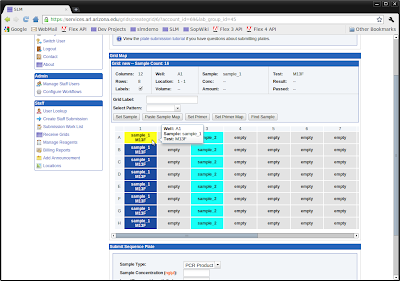
    We released the latest version of SLM (Sample Lifecycle Manager) on February 1st, and the site has been a resounding success so far. SLM supports life sciences laboratory services offered by UAGC including:
    • DNA extraction
    • Sanger sequencing
    • DNA fragment analysis (str/microsatellite)
    • Sequenom genotyping
    • Sequenom methylation analysis
    • Taqman genotyping
    • 454 sequencing
    • Ion Torrent sequencing (coming soon)

    EAGER

    SLM is built with Eager, an application framework for developing custom LIMS. Eager is a collection of Django apps that provide common LIMS functionality including:
    • Workflow management with GLP compliant status logging
    • GLP compliant user and lab access control and management
    • Sample/tube/grid submission and management
    • Volume and concentration tracking
    • Automated sample and reagent dilution and 'cherry picking' transfers
    • Reagent lot tracking
    • Data management and collaboration
    • Integration with SOP management system
    • Environmental monitoring
    The core features of Eager can be used 'out-of-the-box' for a complete LIMS solution with a generic sample tracking workflow, or can be customized to provide service specific workflows (such as Sequenom, 454, Ion Torrent, etc.) The framework includes tons of features, and additional workflows can be easily added by an experienced Django developer. Custom workflows are simply custom Django apps that hook into Eager's workflow definition system. All client-side code is written with the Dojo framework.

    I am hoping to release the Eager framework on GitHub this spring or summer (it will be the first "open-source LIMS that doesn't suck"), but it currently needs to be reviewed by our IP/legal department first.

    Sunday, January 2, 2011

    Django ORM Tools

    Django ORM Tools

    The Django ORM is a great tool that makes it easy to work with simple data models, but it quickly shows its limitations as the complexity of the data model grows. The orm_tools module is an attempt to keep the simplicity of the Django ORM, while adding some extra features that make it much easier to work with complex object graphs. The code is available on Django Snippets.

    Object Instances/Sessions

    The Django ORM loads each object separately from the database. If different QuerySets select multiple objects with the same primary key, the resulting objects will all be different instances.


    >>>MyModel.objects.get(pk=1) is MyModel.objects.get(pk=1)
    False


    The SQLAlchemy ORM solves this problem with sessions. orm_tools contains a Session class to provide similar functionality. Use the 'with' statement in combination with a Session instance to force QuerySets to retrieve cached object instances from the session.


    >>>from orm_tools import Session
    >>>with Session():
    >>>    MyModel.objects.get(pk=1) is MyModel.objects.get(pk=1)
    True


    When QuerySet objects are executed inside of the 'with' block, all SQL queries are performed normally, but cached object instances are returned if an instance with an identical primary key already exists in the session. The session applies throughout any code called from within the 'with' block. Any objects inserted into the DB within the 'with' block are automatically added to the session.

    Object Graphs

    The Django ORM does not automatically save model object dependencies, so Django model instances must be saved one at a time.


    >>>parent = MyModel()
    >>>child = MyChild(parent=parent)
    >>>child.save()
    IntegrityError: app_mychild.parent_id may not be NULL


    For simple data models, this problem is easily fixed by inserting the models into the database at the same time that they are created.


    >>>parent = MyModel.objects.create()
    >>>child = MyChild.objects.create(parent=parent)


    However this is not always ideal for more complex data models, especially if the objects involved already exist in the database, and changes need to be persisted by updating existing rows. orm_tools contains a GraphSaver class that will save an entire object graph at once.


    >>>from orm_tools import GraphSaver
    >>>parent = MyModel()
    >>>child = MyChild(parent=parent)
    >>>saver = GraphSaver()
    >>>saver.save(child)


    When the 'save' method of the GraphSaver object is called, all dependencies will be detected and their 'save' methods will be called in the correct order, so that the entire object graph is saved. The GraphSaver's 'save' method works equally well for both inserts and updates, although updates can optionally be ignored by setting the 'update' argument to False. In the future, I hope to increase performance significantly by modifying the code to exeucte batched insert/update queries for databases that support it (postgres w/ psycopg 2).

    Collections

    The Django ORM supports one-to-many object relations. Objects on the 'many' side of a one-to-many relation cannot be attached to the 'one' unless the 'one' is already saved in the database. This causes some of the same problems as described in the 'Object Graphs' section. The orm_tools module contains a Collection class that enables 'many' objects to be added to a 'one' object, regardless of whether the 'one' object has been saved yet.


    from django.db import models

    from orm_tools import Collection

    class One(models.Model):
    label = models.CharField(default='blank', max_length=20)

    # Call the 'set_property' static method
    # to create a collection object.
    #
    # Arguments
    # ==========
    # * Model to add collection to
    # * Collection attribute name
    # * Many's foreign key attribute name
    # * One's 'many set' attribute name
    Collection.set_property(One, 'children', 'parent', 'many_set')

    class Many(models.Model):
    label = models.CharField(default='blank', max_length=20)
    parent = models.ForeignKey(One, null=False)


    >>>one = One()
    >>>one.children.add(Many())
    >>>one.children.add(Many())
    >>>saver = GraphSaver()
    >>>saver.save(one)


    The Collection object can be iterated through, indexed, and sliced regardless of whether the 'one' object and the 'many' objects have been saved yet. The GraphSaver's 'save' method will also automatically save all 'many' objects.

    Saturday, October 16, 2010

    Apache, Virtual Hosts, and HTTPS

    Apache cannot use https with name-based virtual hosts due to the way the SSL handshake works. I've run across this problem several times in the past, and I always forget how to solve it. So I'll record it here for posterity.

    To get things working, the Apache setup needs to be changed from name-based virtual hosting to ip-based virtual hosting. After configuring a separate ip for each vhost that requires https, the Apache config files (/etc/httpd/conf/ on RHEL, Apache 2.2) need to be updated to use ip-based virtual hosting.

    If name-based vhosting was previously configured, it will need to be modified. If all vhosts are being converted to ip-based vhosting, then name-based vhosting can be completely turned off by commenting or deleting any 'NameVirtualHost' directives. However, it is also possible to continue to use name-based vhosting for vhosts that do not require https. Any existing 'NameVirtualHost' directives that contain wildcards ('NameVirtualHost *:80') will need to be modified. Replace the wildcard with the ip that will be shared by name-based vhosts.

    Next, modify any existing 'VirtualHost' directives that contain wildcards in their definition ('VirtualHost *:80'). Replace the wildcard with the ip that the vhost will be using. Virtual hosts that do not require HTTPS can continue to use name-based virtual hosting, and can share the same ip, but all vhosts that require HTTPS must use a unique ip address.

    Finally, configure a 'VirtualHost' directive for each ip-based vhost in the ssl section of the Apache configuration file ('/etc/httpd/conf.d/ssl.conf' on RHEL, Apache 2.2). Any name-based vhosts will continue to share the ssl config within the '_default_:80' 'VirtualHost' directive. Restart Apache for the changes to take affect.

    Saturday, September 4, 2010

    Transactions for File Transfer

    Transactions

    Database transactions are a convenient way to maintain consistent state during data processing functions. If an error occurs during processing, just rollback the transaction to avoid incomplete or incorrect data being stored.

    Problem

    I've worked on many problems where data processing involves retrieving a source file, performing some type of processing, and then writing to a destination file. These functions are tricky, because if a problem arises during the processing, you're left with an inconsistent, partially processed batch of files. This problem is especially pronounced if you're storing file metadata in a database. If you perform a rollback of your database transaction when an error occurs, then you've lost any updated metadata about the files that were processed correctly.

    Solution

    In an attempt to remedy this problem I've developed a somewhat naive implementation of a file transaction class that can be used to maintain consistent state during processing function involving many files. The transaction object keeps track of all files that have been created and all files that should be deleted. All files marked for deletion are deleted when a commit occurs. All files marked as created are removed when a rollback occurs. If a file needs to be moved, it is instead copied, and the source file is marked for deletion, and the destination file is marked as being created.

    Implementation


    import glob
    import os
    import shutil

    class Transaction(object):
    """
    Manages transactions for file storage.

    Assumes each file is only being operated on by one person at a time.

    If multiple users try to operate on the same file, then the last
    to access gets an exception.
    """

    lock_postfix = 't_lock'

    def __init__(self):
    self._level = 0

    def _get_lock_path(self, path):
    """Return lock file path."""

    if path.endswith('/'):
    end = len(path) - 1
    path = path[:end]

    return path + '.%s' % self.lock_postfix

    def _set_files(self):
    """Resets file lists."""

    self._files_added = set()
    self._files_removed = set()
    self._dirs_added = set()
    self._dirs_removed = set()
    self._locked_files = set()

    # Unlike the other types,
    # move operations
    # must be ordered!!
    self._files_moved = []

    def _check_level(self):
    """Raises exception if level is not 1 or above."""

    if self._level < 1:
    raise exceptions.TransactionError('Transaction not active.')

    def _rm(self, file_paths, dir_paths):
    """Remove all files."""

    for dir_path in dir_paths:
    if os.path.exists(dir_path):
    shutil.rmtree(dir_path)

    for file_path in file_paths:
    if os.path.exists(file_path):
    os.unlink(file_path)

    def _rev_moves(self):
    """Reverse moved files."""

    for move in reversed(self._files_moved):
    shutil.move(move[1], move[0])

    def _acquire_lock(self, path):
    """Attempt to lock a file."""

    # Make sure transaction is started
    self._check_level()

    if path not in self._locked_files:
    # Create lock file on file system
    lock_path = self._get_lock_path(path)
    if os.path.exists(lock_path):
    # Multi-user access is not allowed!
    raise exceptions.TransactionError('File is locked.')
    out_file = open(lock_path, 'w')
    out_file.write('\n')
    out_file.close()
    self._locked_files.add(path)

    def _release_lock(self, path):
    """Release a lock file."""

    lock_path = self._get_lock_path(path)
    if os.path.exists(lock_path):
    os.unlink(lock_path)
    self._locked_files.discard(path)

    def _release_locks(self):
    """Release all locks."""

    locked_paths = self._locked_files.copy()
    for path in locked_paths:
    self._release_lock(path)

    def copy_file(self, src_path, dest_path, remove_existing=False, directory=False):
    """Copy a file. Set remove_existing to True to move file."""

    if directory is True:
    shutil.copytree(src_path, dest_path, symlinks=True)
    else:
    shutil.copyfile(src_path, dest_path)
    self.add_file(dest_path, directory=directory)

    if remove_existing is True:
    self.remove_file(src_path, directory=directory)

    def add_file(self, path, directory=None):
    """Add a file to the transaction."""

    self._check_level()

    self._acquire_lock(path)

    if directory is None:
    directory = os.path.isdir(path)

    if directory is True:
    self._dirs_added.add(path)
    else:
    self._files_added.add(path)

    def remove_file(self, path, directory=None):
    """Remove a file from the transaction."""

    self._check_level()

    self._acquire_lock(path)

    if directory is None:
    directory = os.path.isdir(path)

    if directory is True:
    self._dirs_removed.add(path)
    else:
    self._files_removed.add(path)

    def move_file(self, src_path, dest_path):
    """Move a file from one location to another."""

    self._check_level()

    self._acquire_lock(src_path)
    self._acquire_lock(dest_path)

    shutil.move(src_path, dest_path)
    self._files_moved.append((src_path, dest_path))

    def begin(self):
    """Begin transaction."""

    if self._level == 0:
    self._set_files()

    self._level += 1

    def commit(self):
    """Removes all 'removed' files and dirs."""

    self._check_level()

    self._level -= 1
    if self._level == 0:
    self._rm(self._files_removed, self._dirs_removed)
    self._release_locks()

    def rollback(self):
    """Removes all 'added' files and dirs."""

    self._check_level()

    self._level -= 1
    if self._level == 0:
    self._rm(self._files_added, self._dirs_added)
    self._rev_moves()
    self._release_locks()


    Example


    def process():
    transaction = Transaction()
    transaction.begin()
    try:
    # Mark a file as created
    transaction.add_file(new_file)

    # Mark a file as deleted
    transaction.remove_file(delete_file)

    # Copy a file
    transaction.copy_file(src_file, dest_file)

    # Move a file
    transaction.move_file(mov_src_file, mov_dest_file)
    transaction.commit()
    except:
    transaction.rollback()
    raise


    Limitations

    The class only works for single user environments. A lock file is created for every file added to a transaction. If a different transaction tries to acquire a lock for a file that is already locked, an exception is raised. Negotiating multi-user access would be quite tricky, especially in the case of delete files, where the file no longer exists after the lock is released.